Subdomains
You've got a Miren cluster running your stuff — now give it an address people can actually visit. You can always bring your own domain, but if you'd rather skip the DNS busywork, Miren Cloud lets you claim a subdomain like mycluster.run.garden, point it at your cluster, and you're live.
Available Base Domains
You can claim subdomains under two base domains:
| Domain | Notes |
|---|---|
run.garden | Great for running your garden server |
miren.app | A clean, professional option for your projects |
Both come with wildcard DNS — once you claim mycluster.run.garden, requests to *.mycluster.run.garden are routed to your cluster too. That means each of your apps can get its own hostname without any extra setup.
Claiming a Subdomain
Head to your organization in miren.cloud, find the Subdomains section, and pick a name.
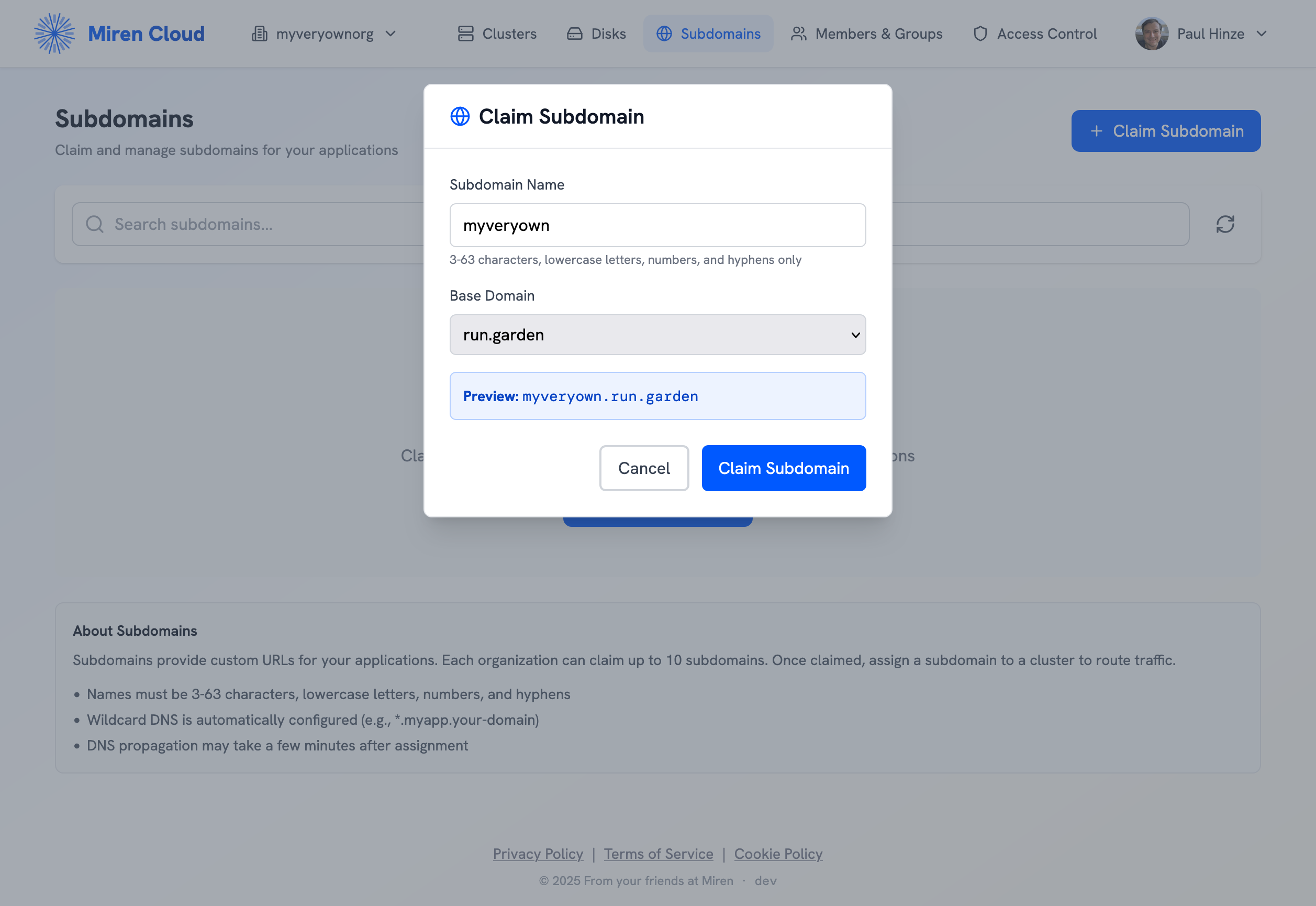
Names are 3–63 characters — lowercase letters, numbers, and hyphens. A handful of common names like www and api are reserved.
Assigning to a Cluster
Once you've claimed a subdomain, click on it and choose Assign to Cluster. Pick one of your active clusters and Miren takes care of the rest — CNAME and wildcard DNS records are provisioned automatically. Propagation usually takes a few minutes.
Routing Traffic to Your App
With the subdomain assigned to your cluster, the last step is telling Miren which app should handle the traffic:
miren route set mycluster.run.garden myapp
You can also route wildcard subdomains to an app — handy if you want each app on its own sub-subdomain:
miren route set '*.mycluster.run.garden' myapp
See Traffic Routing for more on how routes work.
Good to Know
Wildcard DNS — When you assign a subdomain, Miren provisions both the base name and a wildcard (*.mycluster.run.garden), so you can give every app its own hostname or build multi-tenant setups without touching DNS again.
TLS certificates — Miren provisions certificates automatically for your subdomains via Let's Encrypt. This is especially relevant for miren.app subdomains, since the .app TLD requires HTTPS in all browsers.
DNS propagation — Records are provisioned on assignment and usually resolve within a few minutes, though in rare cases it can take up to an hour.
Limits — During Developer Preview, each organization can claim up to 10 subdomains.
Next Steps
- Traffic Routing — Set up routes to direct traffic to your apps
- TLS Certificates — How Miren handles HTTPS
- Miren Cloud Overview — Cluster registration, login, and team management